// openmonoagent.ai · VS CODE EXTENSION

The full agent
experience,
in your editor.

OpenMono runs inside VS Code and Cursor — no cloud, no API keys, no phone home. Agent chat with streaming markdown, Plan/Build modes, permission gates, file references with @, and sub-agent support. All local. All private.
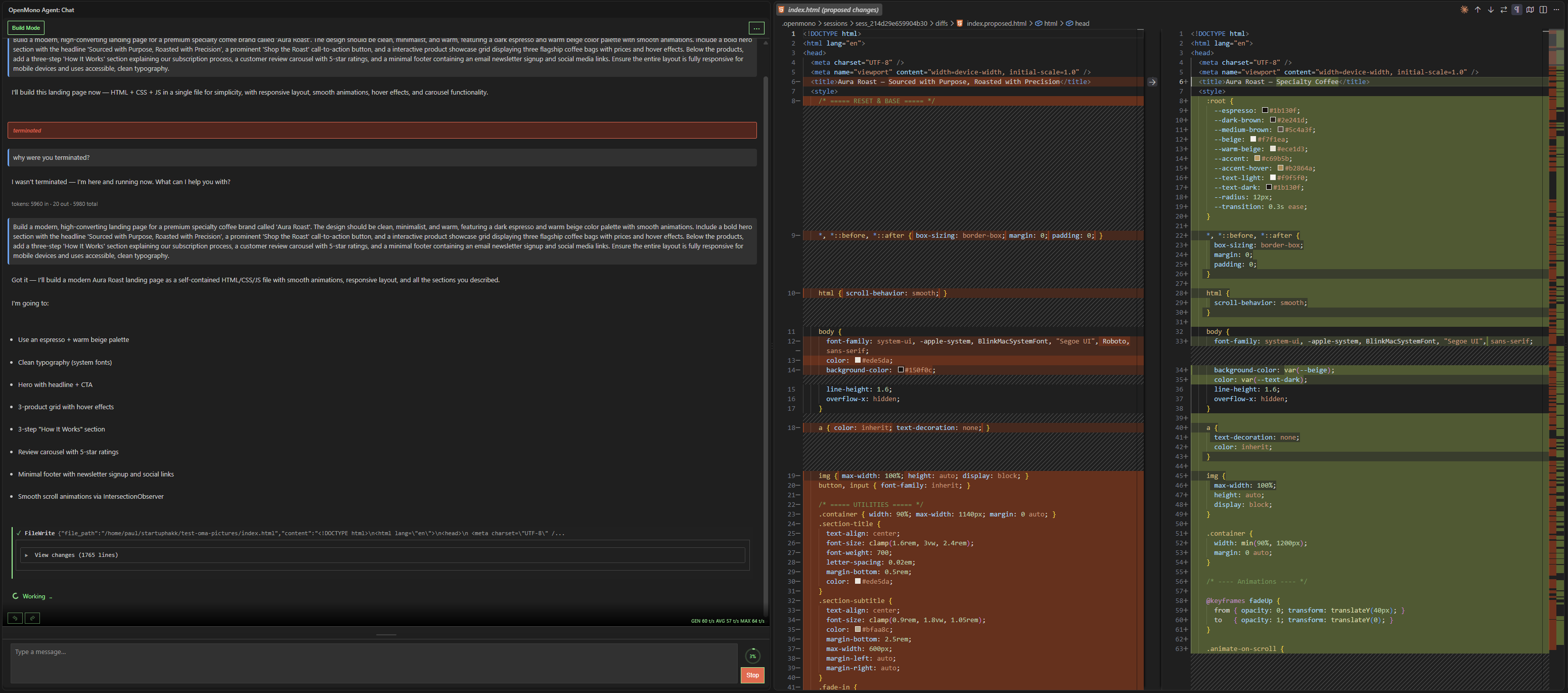
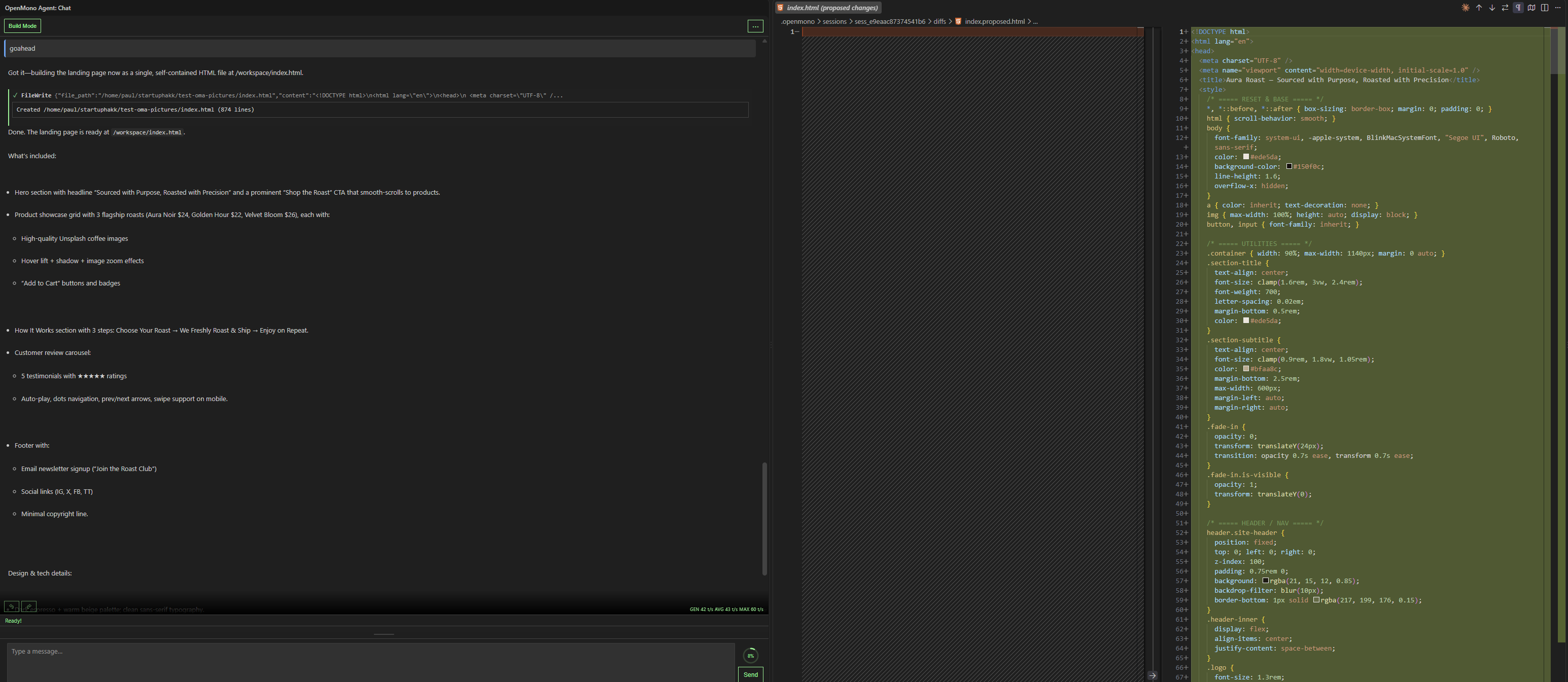
OpenMono agent in Build Mode showing a live file diff alongside chat in VS Code
// features

Everything you'd expect from
a modern AI coding tool —
inside your editor.

Agent Chat

Sidebar chat with streaming markdown, syntax highlighting, and live token output. The agent reads your files, explores your codebase, and responds in real time — all within VS Code's native sidebar.

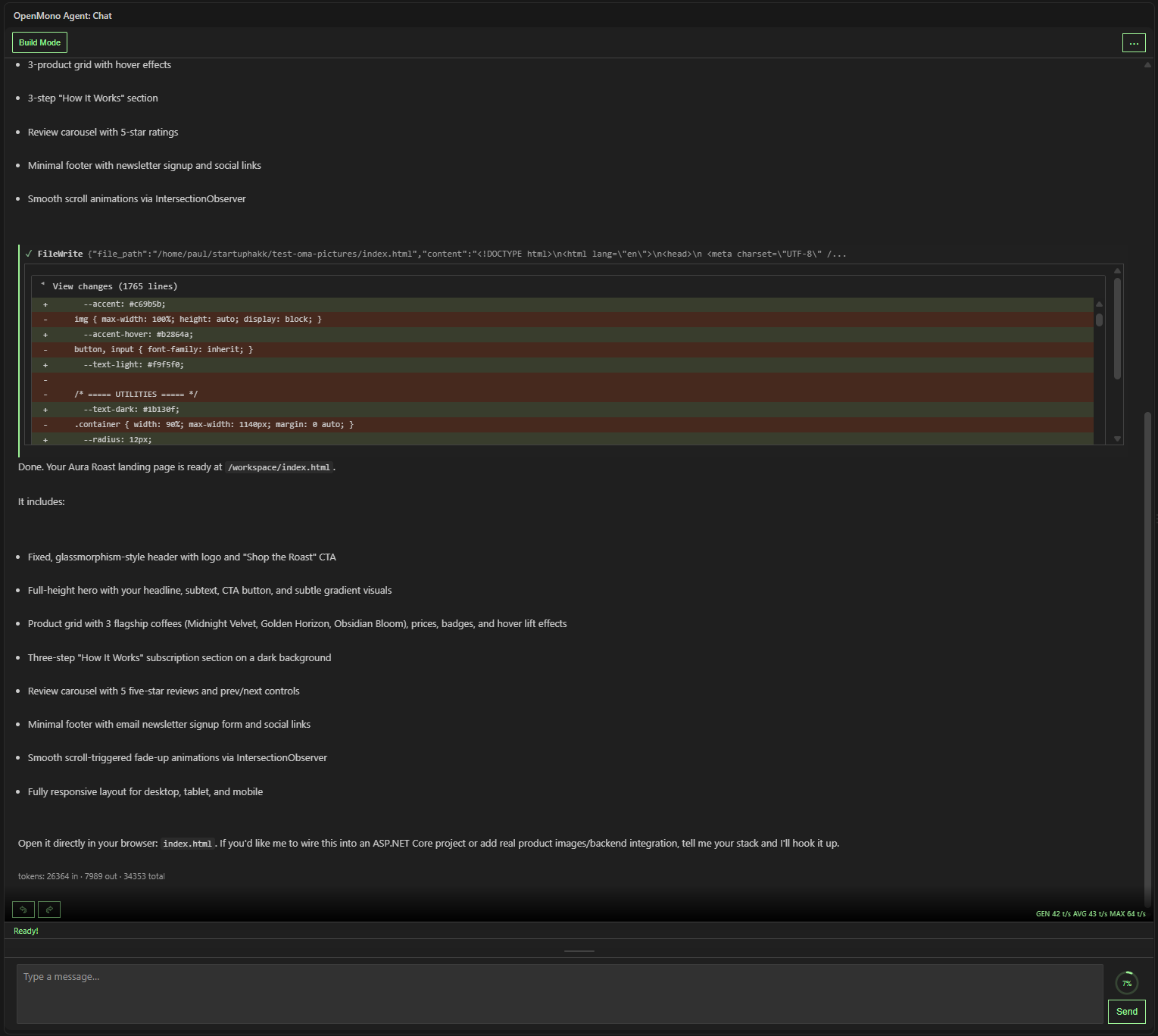
Full agent conversation in Build Mode with the resulting file diff and completion summary

Plan Mode & Build Mode

The agent first explores your codebase and creates a plan before touching anything. Review the plan, ask for changes, or approve it to enter Build Mode — where actual file edits happen. You're always in control.

Build Mode showing a live file diff as the agent writes index.html

Permission Management

Every file write, shell command, and package install can prompt you for approval. Approve once, approve per session, or deny entirely. The agent never bypasses your permission gates — it's code-enforced, not model-suggested.

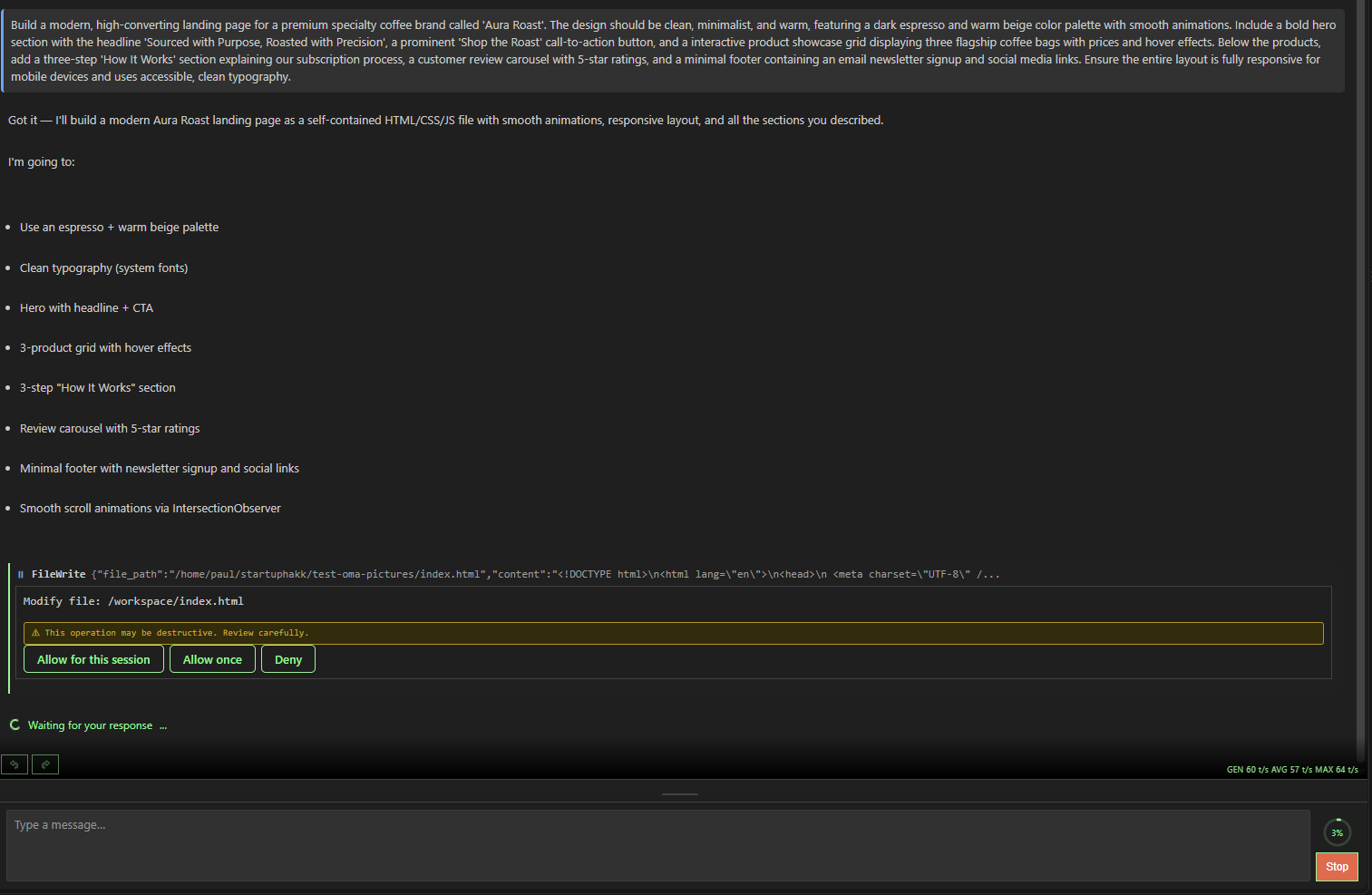
Permission prompt for a file modification with Allow for this session, Allow once, and Deny buttons

Live Execution & Docker Integration

Watch the agent execute commands in a terminal panel alongside its chat. Docker containers are set up automatically — your project is bind-mounted in, with scoped filesystem access and private networking. The agent runs unsupervised because it can't leave the box.

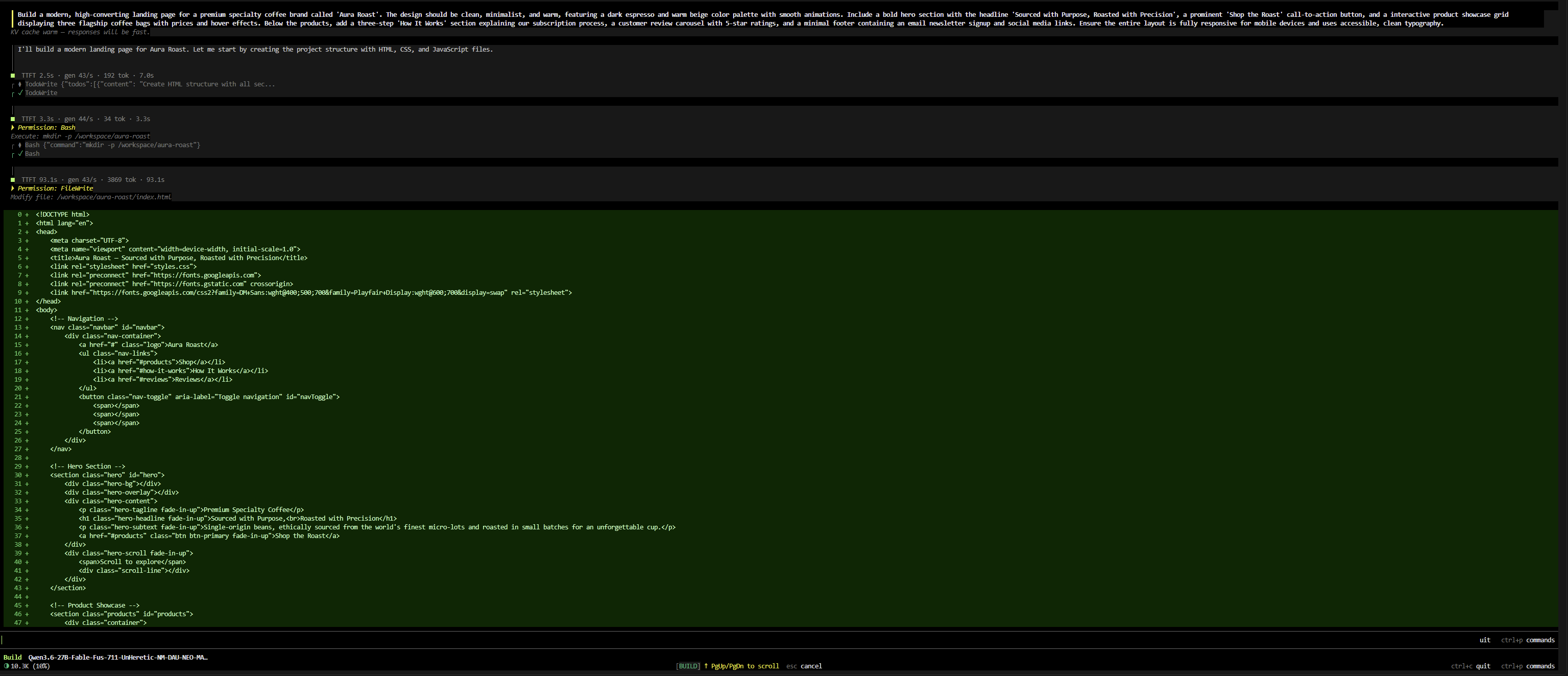
Terminal panel showing live Bash execution and a streaming file write in Build Mode

Sub-Agent Support

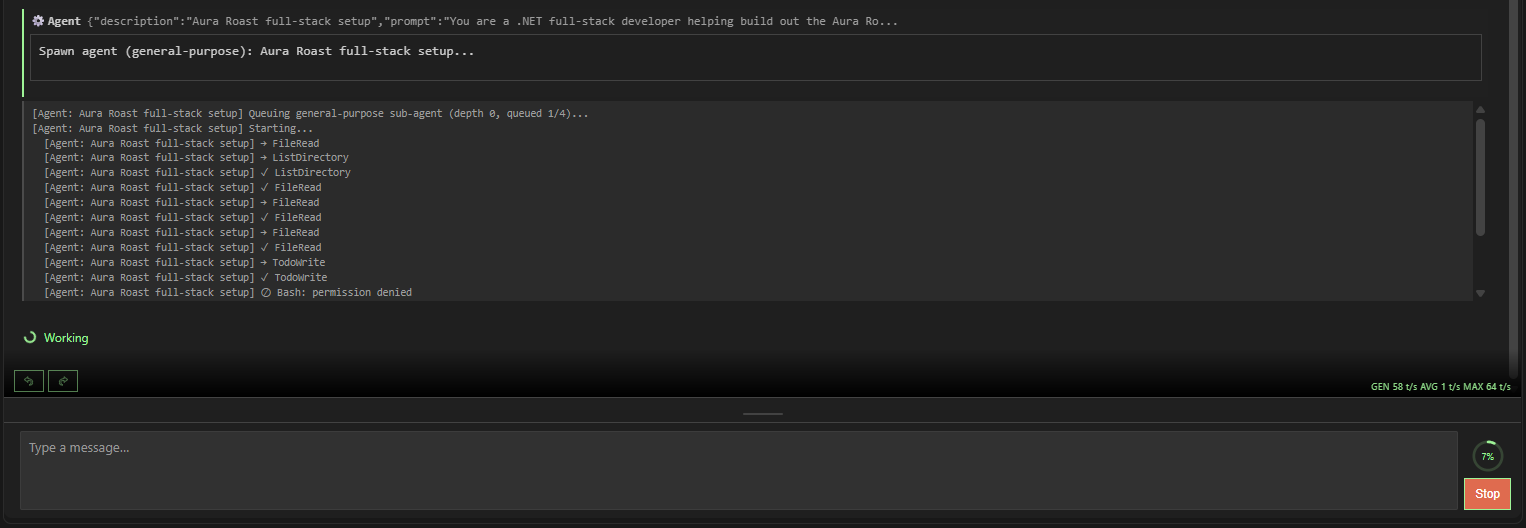
The agent can spawn specialized sub-agents — Explore for codebase research, Plan for architecture design, Verify for quality checks, and Coder for focused implementation. Each sub-agent is visible in the UI with its own status and output.

Spawned general-purpose sub-agent working through FileRead, ListDirectory, and TodoWrite calls

File References & Autocomplete

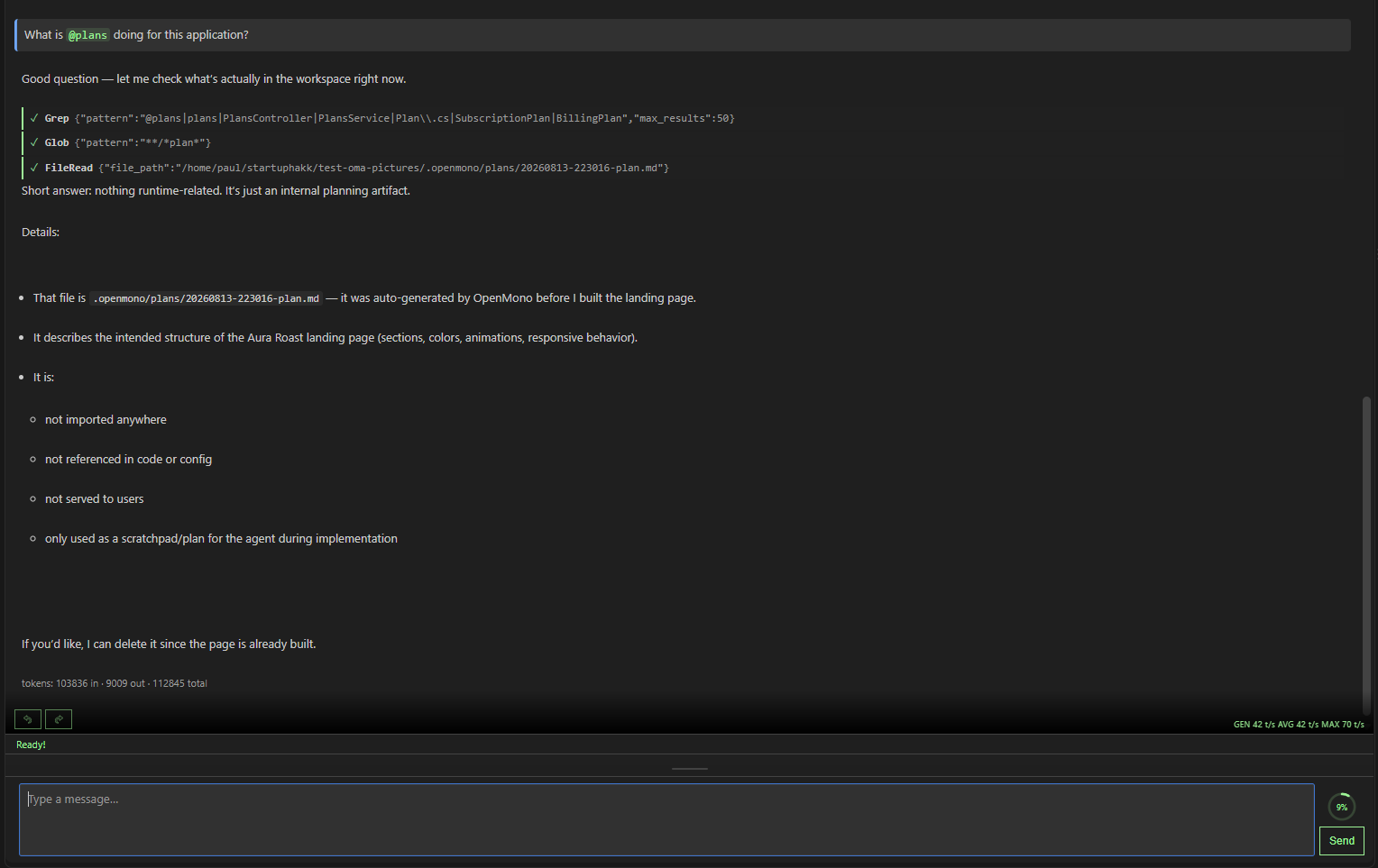
Type @ to reference any file in your workspace. The agent understands your codebase structure via LSP — hover, go-to-definition, and references for C# and TypeScript. Attach images for visual context. All autocomplete is local.

Agent resolving an @plans file reference and reading the referenced file

Agent Status & Health

Real-time visibility into what the agent is doing — token throughput, context window usage, active tools, and health status. Auto-reconnect on disconnect. Never wonder if your agent is still thinking.

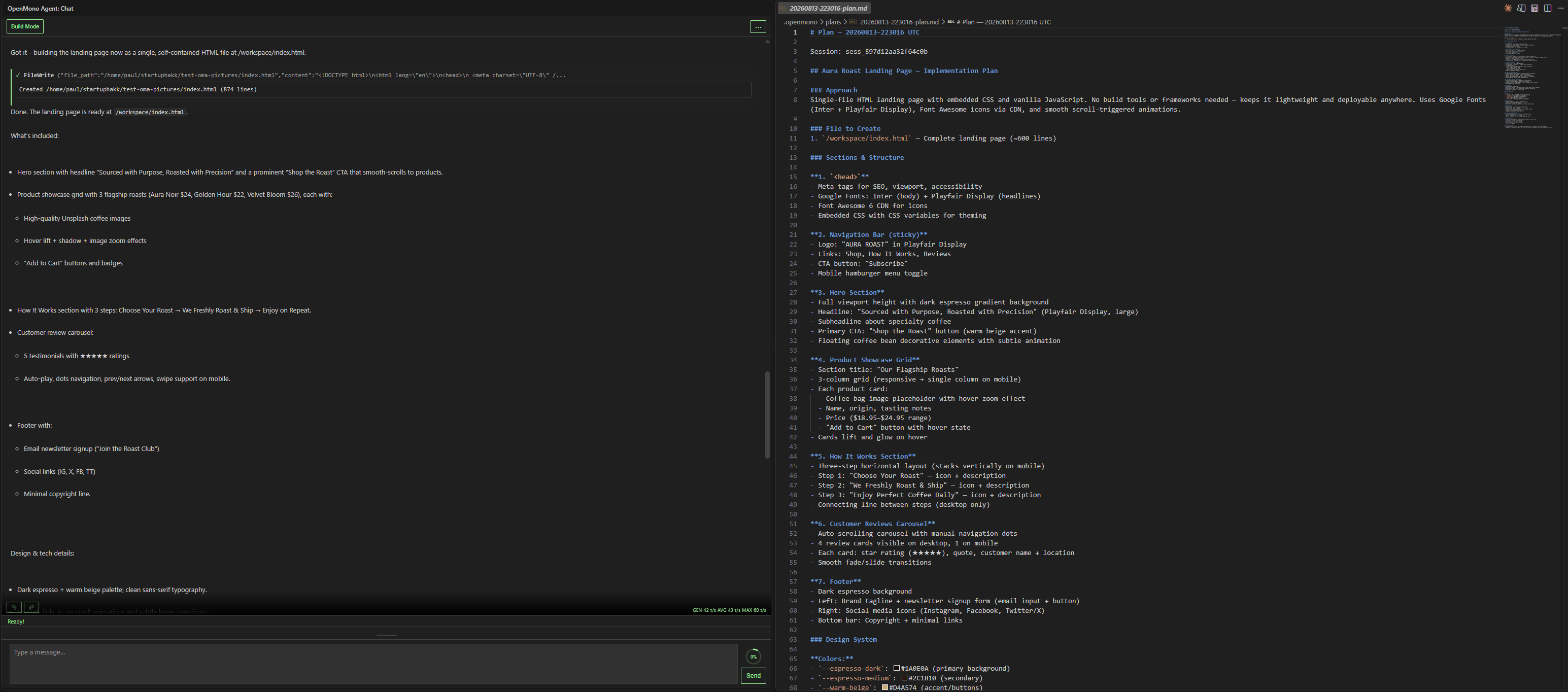
Generated implementation plan file with section breakdown and design system details
// compare

How OpenMono stacks up.

OpenMono Claude Code OpenCode
Inference Local (embedded) Cloud (Anthropic) Cloud / local options
Runs unsupervised Yes — Docker sandboxed Limited No
Permission gates Code-enforced (Playbooks) Prompt-based No
Plan Mode Yes — read-only exploration first Yes Limited
Sub-agents Yes — Explore, Plan, Verify, Coder No No
.NET / Roslyn Baked in — compiler intelligence No No
Privacy Zero cloud contact All data to Anthropic Varies
Open source Yes No Partial
VS Code extension Yes — native No (web only) No

Ready to bring the agent into your editor?

Install OpenMono from the VS Code Marketplace. Free, open-source, and runs entirely on your machine.

Install from VS Code Marketplace